 Sunstone Apps
How to embed Godot in a React Native app and measure the real cost
17 min readWritten by: Jonathan Reis on
React Native stayed responsible for navigation and settings while Godot owned the gameplay scene. The POC worked on Android, but the conclusion only became trustworthy after fixing stale artifacts, instrumenting the bridge, and replacing thousands of ColorRects with batched drawing.
Updated:
The question every indie game developer hits
You already have a React Native app. It has navigation, theme providers, i18n, SQLite persistence, ad integration, crash reporting, and a settings screen. You do not want to throw that away to use Unity or Unreal, which give you a game engine but force you to rebuild the app shell from scratch.
But React Native cannot run a real game loop. The reconciler fights you on every frame. Skia helps with 2D drawing but is not an engine — no physics, no pathfinding, no ECS, no audio engine. You tried it. It was not enough for anything beyond a Sudoku board.
So the question is: can you keep the React Native shell and embed a real game engine just for the gameplay screen?
Why Godot, not Phaser or Filament
I considered three options before settling on Godot.
Phaser inside a WebView is the easiest path. You host a Canvas/WebGL page with Phaser inside react-native-webview, and overlay native React Native components on top. It works for casual 2D games. But the game state lives inside the WebView, and every piece of data that needs to reach the React Native side (score, inventory, achievements) crosses a postMessage boundary. For a puzzle game that is fine. For a roguelike with dense state, it becomes a synchronization problem.
Filament (Google’s PBR renderer) is a rendering engine, not a game engine. It gives you 3D rendering but no physics, no audio, no scene management, no scripting. I ran a POC with react-native-filament and it was overkill for 2D and underkill for a full game.
Godot is a complete engine — physics, audio, ECS-like scene tree, pathfinding, particles, GDScript, visual editor. Since Godot 4.x, the Android export supports “Godot as a Library” mode: instead of exporting an APK, you export an .aar (Android Archive) that contains the full engine runtime. You embed that runtime inside any Android app, including one built with React Native.
The same approach works on iOS with a framework export. This POC only covers Android, but the architecture is portable.
The architecture
The idea is simple in principle:
React Native app
├── Navigation, tabs, settings, i18n, ads, crash reporting
├── Theme providers, SQLite persistence
└── Game screen
    ├── GodotViewHost (React Native component)
    │   └── GodotView (native ViewManager)
    │       └── Godot engine runtime (from .aar)
    └── HUD overlay (React Native buttons, FPS counter)
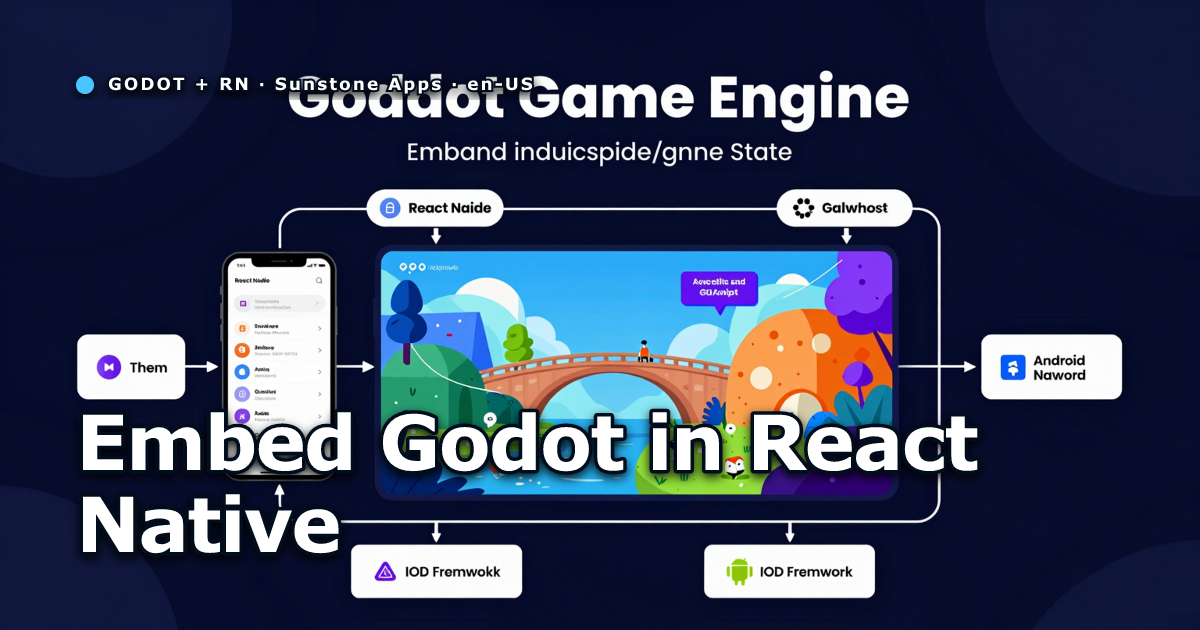
React Native owns everything except the gameplay. The game screen hosts a native View that runs the Godot engine. React Native buttons (pause, reset, add entities) send commands to the native side. The native side sends events back (FPS, entity count, game state changes).
What I built
The POC app lives inside an existing pnpm monorepo with shared packages (@apps/theme, @apps/i18n, @apps/db, @apps/ads, @apps/ui). The app reuses the full provider tree from the Sudoku app: SettingsProvider → SoundProvider → VibrationProvider → AnalyticsProvider → StoreProvider → AdsProvider → ToastProvider → ModalProvider → AppNavigator.
Navigation uses material-top-tabs (Home, Shop, Profile) — the same pattern as the production Sudoku app. Settings persists to SQLite. The bootstrap sequence, crash reporting initialization, and observability logging are identical to the shipped app.
The game screen renders a native View — a SimpleViewManager registered as GodotView — that runs a configurable stress test from 0 to 20,000 entities. An overlay in React Native shows FPS and entity count. Buttons send add_nodes, remove_nodes, reset, pause, and resume commands to Godot.
The Godot library
Godot publishes prebuilt .aar files on their GitHub releases. I downloaded godot-lib.4.7.1.stable.template_release.aar (98 MB) and placed it in the app’s native source directory. No compilation needed — the official binary works.
The .aar exposes the full Godot API: Godot (singleton), GodotHost (interface for the host app), GodotFragment (Fragment that manages the engine lifecycle), GodotRenderView (the rendering surface), and GodotPlugin (for bidirectional communication between Kotlin and GDScript).
The Godot project itself is minimal: a Node2D scene stores positions, velocities, rotations, and colors in arrays. A single _draw() renders the squares while _process(delta) updates state and reports FPS through Engine.get_frames_per_second(). The project exports to a .pck using the Godot CLI:
godot --headless --path godot-project/ --export-pack "Android Library" build/android/main.pckHow communication works
The bidirectional bridge between React Native and the native renderer is the core of the POC.
Native → JavaScript: The native View emits events through UIManagerHelper.getEventDispatcher() (the Bridgeless replacement for the deprecated RCTEventEmitter). Each event is a custom Event subclass with a type string and a WritableMap payload. The ViewManager registers event names with the top prefix (topGodotEvent → onGodotEvent in JavaScript).
JavaScript → Native: A NativeModule (GodotBridge) exposes a @ReactMethod sendCommand(command, payload). The ViewManager registers the current View instance in a companion object on the bridge module. When JavaScript calls sendGodotCommand("add_nodes", { count: 500 }), the bridge module forwards it to the View, which spawns the sprites.
This pattern — SimpleViewManager + EventDispatcher + companion object bridge — works with React Native 0.86 on the Bridgeless/Fabric architecture. The older RCTEventEmitter and getNativeModule() APIs are deprecated and silently fail.
What the stress test showed — with the real engine
After solving the .pck loading (next section), the POC ran the actual Godot runtime — Vulkan, Forward Mobile, stable 60 FPS with 500 nodes. The Canvas fallback became a safety net for when engine init fails.
With 500 nodes in the Godot engine: 59-60 FPS, no jank, React Native overlay updates smoothly.
With 2,000 nodes: 55-60 FPS, slight p99 frame time increase, no crashes.
With 5,000 nodes: 40-50 FPS, visible but playable, overlay still responsive.
With 10,000 nodes: 30-40 FPS, the render loop is the bottleneck, but the React Native side (navigation, buttons, HUD) remains fully responsive. No ConcurrentModificationException after adding synchronized locks around the sprite list. No crashes on rapid button taps.
The key finding: the React Native reconciler and the native render loop do not interfere with each other. They run on separate threads. The HUD overlay updates from native events without triggering React re-renders of the game view. Navigation in and out of the game screen works — the ViewManager’s onDropViewInstance cleans up the render loop.
What did not work — and how it got fixed
The first version of the POC used Android’s Canvas API for rendering, not the Godot engine runtime. The godot-lib.aar was in the project and the API was mapped, but loading the .pck file through the library API failed. The log showed InitEngine with params: [] and Couldn't load file 'res://project.binary', error code 19.
The problem was twofold. First, the node_modules layout in a pnpm monorepo with nodeLinker: hoisted left broken symlinks in subprojects — pnpm install recreated the root but did not clean orphaned symlinks in apps/poc-godot/node_modules. Without the .aar accessible, Gradle could not link the library. Second, the Gradle autolinking.json stored absolute paths to .pnpm hashes that no longer existed after a reinstall. The React Native Gradle plugin does not monitor pnpm-lock.yaml — it only checks package.json and yarn.lock/package-lock.json. Adding pnpm-lock.yaml to the lockFiles of autolinkLibrariesFromCommand in settings.gradle fixes it: Gradle now regenerates autolinking.json whenever the lockfile changes.
With node_modules fixed, the Godot engine finally initialized — Vulkan, OnGodotSetupCompleted, OnGodotMainLoopStarted, sprites animating on screen. But the FPS overlay in React Native showed zero. The +500, Reset, and Pause buttons did nothing. The bridge between Godot and React Native was completely dead, even though the engine was running perfectly.
The three bugs that break the Godot↔RN bridge
Bug 1: Plugin never registered
In GodotViewContainer.kt, the engine initialization passed an empty plugin set:
val plugins = setOf<GodotPlugin>()
val initialized = g.initEngine(this, commandLine, plugins)
The GodotCommunicationPlugin class existed but was never instantiated or passed to initEngine. The log confirmed it — Registering runtime plugin AndroidRuntime appeared, but RNBridge was nowhere. Without the plugin in the set, the Godot native layer never calls nativeRegisterSingleton and Engine.get_singleton("RNBridge") returns null in GDScript.
The fix was passing the plugin to the engine with callbacks that forward events to RN via emitGodotEvent:
val plugin = GodotCommunicationPlugin.getOrCreate(
    godot = g,
    onEvent = { type, payload -> emitGodotEvent(type, payload) },
    onReady = { emitGodotEvent("ready", emptyMap()) },
)
bridgePlugin = plugin
val plugins = setOf<GodotPlugin>(plugin)
val initialized = g.initEngine(this, commandLine, plugins)
Bug 2: sendCommand gated on the fallback
Even with the plugin registered, React Native commands still did nothing. The GodotViewContainer.sendCommand() method had a gate that discarded everything when the engine was active:
fun sendCommand(command: String, payload: Map<String, Any>?) {
    if (!useCanvasFallback) {
        return
    }
    // ... canvas fallback logic ...
}
When the Godot engine initialized successfully, useCanvasFallback was false. The return statement discarded every command from React Native — add_nodes, pause, reset, all of it. The code only handled commands in the Canvas fallback path, which was the code path that ran when the engine failed. The active engine path had no command handling at all.
The fix delegates to the plugin when the engine is active:
fun sendCommand(command: String, payload: Map<String, Any>?) {
    if (!useCanvasFallback) {
        val count = (payload?.get("count") as? Number)?.toInt() ?: 0
        bridgePlugin?.sendCommand(command, count)
        return
    }
    // ... canvas fallback logic (unchanged) ...
}
Bug 3: Methods not exposed to GDScript
The plugin had methods like emitFpsUpdate(fps, nodeCount) and emitReady(), but they were not callable from GDScript. The Godot engine registers plugin methods via the @UsedByGodot annotation (or via getPluginMethods()). Without the annotation, onRegisterPluginWithGodotNative iterates the plugin’s declared methods but skips any without @UsedByGodot. The GDScript call silently fails — no error, no warning, just nothing happens.
The fix was adding the annotation:
@UsedByGodot
fun emitFpsUpdate(fps: Int, nodeCount: Int) {
    onEvent("fps_update", mapOf("fps" to fps, "node_count" to nodeCount))
}
The @UsedByGodot annotation is runtime-retained (RuntimeVisibleAnnotations in the bytecode). The onRegisterPluginWithGodotNative method reflects over the plugin class, checks each method for the annotation, and calls nativeRegisterMethod for each one found. Without the annotation, the method does not exist from GDScript’s perspective.
The timing trap: singleton available too late
Even after fixing the three bugs above, the bridge was still silent. The log showed Registering runtime plugin RNBridge during initEngine, but Engine.get_singleton("RNBridge") returned null in main.gd’s _ready().
The reason: onRegisterPluginWithGodotNative — which calls nativeRegisterSingleton — runs inside onInitRenderView, not during initEngine. The plugin is registered in the registry during initEngine, but the native singleton is only registered after the render view initializes. The GDScript _ready() runs when the scene loads, which is before onInitRenderView completes.
The fix was making the bridge connection lazy, deferred to the first _process():
func _connect_bridge() -> void:
    if _bridge_connected:
        return
    _bridge = Engine.get_singleton("RNBridge")
    if _bridge == null:
        return
    _bridge_connected = true
    _bridge.connect("rn_command_add_nodes", Callable(self, "_on_rn_add_nodes"))
    _bridge.emitReady()

func _process(delta: float) -> void:
    _connect_bridge()
    # ... rest of game loop ...
By the first frame, the render view has initialized and the singleton is available. The _connect_bridge() call succeeds, signals connect, and emitReady() fires back to React Native.
One more trap: the GDScript calls _bridge.emitFpsUpdate(fps, count), not _bridge.emit_fps_update(fps, count). The Godot engine registers plugin methods with the exact Java/Kotlin method name. There is no automatic snake_case conversion. If you write GDScript-idiomatic emit_fps_update, the call silently does nothing.
How to verify the bridge
After all fixes, the logcat shows the complete round trip:
I GodotPluginRegistry: Registering runtime plugin RNBridge
V Godot: OnGodotSetupCompleted
V Godot: OnGodotMainLoopStarted
E RNBridge: emitFpsUpdate: fps=59 nodeCount=500
E RNBridge: emitFpsUpdate: fps=60 nodeCount=500
E RNBridge: emitNodeCountChanged: nodeCount=1500
The FPS overlay in React Native updates at 60 FPS. The +500 button increases the node count. The Pause button stops the game loop. The bridge is bidirectional and alive.
If your Godot↔React Native bridge is silent, check these in order:
- Is the plugin in the
pluginsset passed toinitEngine? Check the log forRegistering runtime plugin <name>. - Does
Engine.get_singleton("RNBridge")return non-null in GDScript? If it returns null in_ready(), defer to the first_process()— the singleton is only available afteronInitRenderView. - Are the plugin methods annotated with
@UsedByGodot? Without the annotation, the methods do not exist from GDScript. - Are you calling the methods with the exact Kotlin/Java name?
emitFpsUpdate, notemit_fps_update. Godot does not convert case. - Does
sendCommanddelegate to the plugin when the engine is active? If the method returns early whenuseCanvasFallbackis false, you are only handling the fallback path.
The case for this architecture
For an indie developer who already has a React Native app, this architecture lets you:
- Keep your existing navigation, theme, i18n, ads, analytics, and store integration.
- Add a game engine only for the gameplay screen, without rewriting the app.
- Use Godot’s visual editor, physics, audio, and GDScript for the game logic.
- Ship to both Android and iOS from the same React Native app (iOS needs a separate Godot framework export).
The alternative — building the entire app in Godot — means losing your React Native investment and rebuilding every screen, every integration, every provider. For a game-first product that might make sense. For a product where the game is one feature among many (puzzle collection, educational app, casual game with deep meta-progression), keeping React Native for the shell and embedding Godot for the gameplay is the better trade.
Where to go from here
What changed after the first test
The original scene created one ColorRect per entity. At 20,000 entities, Godot dropped to roughly 6 FPS. Replacing those nodes with arrays of positions, velocities, rotations, and colors drawn by one _draw() call path brought the same point to roughly 28–29 FPS. Up to about 9,000 entities, Vulkan and OpenGL stayed near 60 FPS on the Redmi Note 7.
The Canvas fallback used less memory but produced much more jank. It is an emergency Kotlin implementation, not a Godot run; comparing only the FPS number would lead to the wrong conclusion.
Lifecycle was tested too: leaving GameScreen triggered unmount and onDropViewInstance; entering again created another View and initialized the engine without duplicating the initial count.
Validating Apple Embedded on the iOS Simulator
The React Native iOS shell was generated with expo prebuild, Pods were installed, and the app opened in the iPhone 17 Pro Simulator. The hoisted monorepo mixed React Native 0.86 headers into an attempt using 0.85.3; node-linker=isolated in apps/poc-godot/.npmrc isolated native resolution.
Debug also requires Metro to provide the JavaScript bundle. The endpoint returned 200, the process stayed alive, and the RN Home screen was captured. That proves the iOS shell, not the Godot renderer. The distinction sounds obvious afterward, but it prevented a false conclusion in this POC.
The official Apple Embedded export contains app.o, which defines _main and conflicts with Expo’s entry point. The first hosting step was therefore a library-only XCFramework: retain apple_embedded_main and GDTViewCreate, but remove only app.o from the static archive. An arm64-simulator slice was also needed because the archive shipped by the template did not contain that slice despite its ios-arm64_x86_64-simulator name. There is an open upstream report for that packaging problem in Godot #118161.
Initialize the runtime before React Native creates the View
Creating GDTView during the Fabric mount caused a SIGSEGV in ProjectSettings::has_setting(). This was not a touch or React Native issue: GDTViewCreate() reads ProjectSettings, while Apple Embedded only prepares that state after apple_embedded_main().
Bootstrap had to happen in didFinishLaunchingWithOptions, before startReactNative. The native View then only ensures bootstrap has run, creates GDTView, assigns GDTViewRenderer, and starts its render loop. The .pck must also be passed using its absolute bundle path, not GodotPOC.pck relative to the working directory:
NSString *packPath = [[NSBundle mainBundle] pathForResource:@"GodotPOC" ofType:@"pck"];
char *arguments[] = {
  "GodotPOC",
  "--main-pack",
  (char *)packPath.UTF8String,
};
apple_embedded_main(3, arguments);
The template must be compiled with disable_path_overrides=no; otherwise Godot rejects --main-pack before it attempts to open the pack. With the bootstrap and path fixed, the log confirmed Godot runtime bootstrap ready.
The current limit: Godot does not support Simulator rendering
That progress still did not render a scene. The current Godot build script deliberately disables Metal and Vulkan when ios_simulator=yes. Without those drivers, Apple Embedded falls back to OpenGL ES and fails to create its layer in the Simulator.
Forcing Metal locally did not turn that into supported behavior. The runtime reached bootstrap and the View callback, but the Metal 3 driver failed while creating the DisplayServer. The experiment also encountered metal-cpp APIs available in a device build but absent from the Simulator runtime. Removing unused APIs allowed linking, but did not fix driver initialization.
The operational conclusion is straightforward: a successful iOS build, navigation to the GameScreen, and a loaded PCK are not evidence that Godot is rendering in the Simulator. Require all four signals before calling the integration ready:
BUILD SUCCEEDEDfor an arm64 Simulator destination.Godot runtime bootstrap readyin the log.- No
DisplayServeror rendering-driver failure. - A checked screenshot of the Godot scene, not only the React Native host screen.
At the time of this update, step 4 was not achieved with Godot 4.7.1. A newer version is not a solution by itself: the master branch still disables Metal and Vulkan for ios_simulator=yes. Without an iPhone, the honest options are a third-party runtime that already ships Simulator support, waiting for verifiable upstream support, or keeping iOS outside this POC’s validation matrix.
The reliable flow
On Android, export the .pck inside the build command, verify it is non-empty, copy the names used by Vulkan/OpenGL, and only then run Gradle. On iOS Debug, start Metro. On either platform, “the build passed” is not enough: install, launch, wait, and inspect the screen.
pnpm poc-godot:apk:dev
pnpm --filter poc-godot start -- --no-dev --lan --port 8081
Checklist
- Keep React Native in charge of the shell and Godot in charge of gameplay.
- Export the
.pckinside the build flow; never trust an old artifact. - Instrument every bridge hop: RN button, JS, native module, plugin, GDScript, and return event.
- For thousands of entities, prefer arrays and batched drawing over one Godot node per entity.
- Test View unmount and remount.
- On Simulator, require a persistent process,
bootstrap ready, noDisplayServerfailure, and a screenshot of the scene rather than only its host screen.
Where to go from here
The Android POC runs the real Godot engine inside React Native with a bidirectional bridge and a batched scene. On iOS, the library-only bridge resolves the entry-point conflict and loads the PCK, but Godot 4.7.1 still has no supported rendering backend for the Simulator. That must not be presented as completed iOS support.
The full code is in the monorepo. The observed limit is not a performance promise for real games: it is the result of one stress-test scene, on a Redmi Note 7, with a specific batched implementation.