 Sunstone Apps
How to keep canonical assets in a React Native monorepo
9 min readWritten by: Jonathan Reis on
An app icon, a store screenshot, and a site favicon often start as one piece of product work, then become several untracked copies. A canonical asset library makes the original, its exports, and every technical delivery explicit.
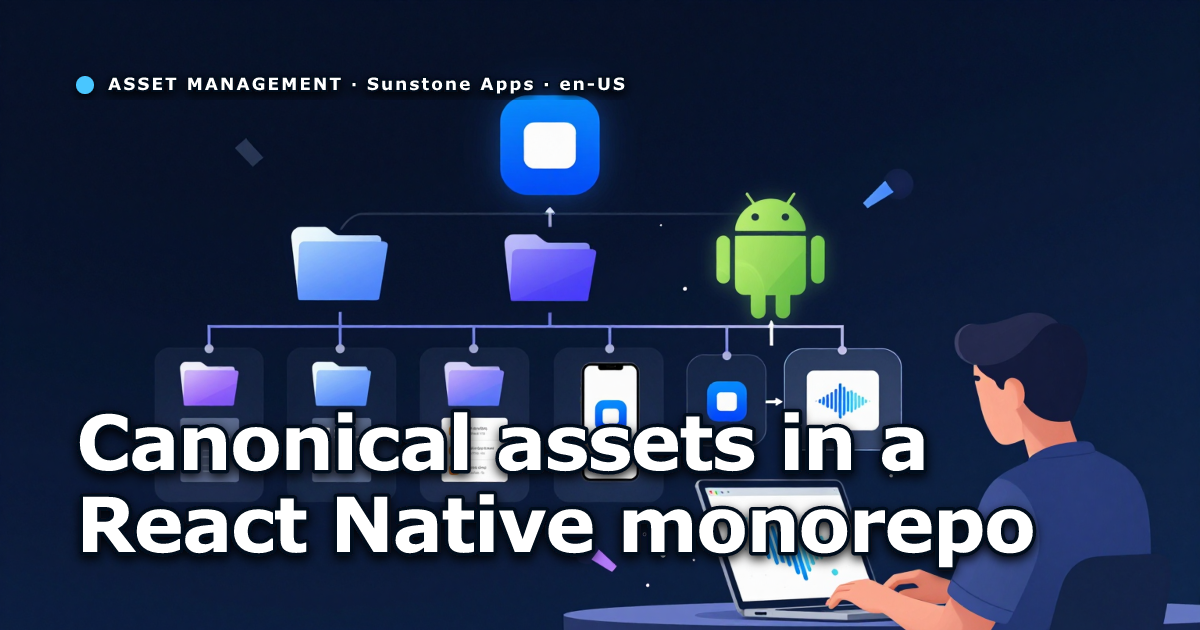
Most mobile projects begin with a harmless convention: put images in the app’s assets directory. It works until the same icon is needed for an iOS build, an Android adaptive icon, a favicon, a store listing, a landing page, and a QR code. At that point, the repository has several files that look equally authoritative. None of their names answer the useful question: which file should change first?
This is not primarily a folder-naming problem. It is an ownership problem. The editable artwork, the export for a store, and the PNG that Metro bundles have different jobs. Treating them as peers guarantees that one will eventually be updated without the others.
The pattern in this article keeps one canonical asset library at the repository root. Apps, packages, and sites receive generated technical deliveries. The build tools keep their local paths, but nobody has to search those paths for the original.
Start by separating source, export, and delivery
An asset can be in one of three states.
- A source is the file a person is allowed to edit: an SVG mark, a raw screenshot, a sound master, or an editable campaign composition.
- An export is a reusable derivative: a store PNG, a social crop, or a QR-safe logo.
- A delivery exists because a consumer needs a file in a particular location or format. Expo configuration, Metro
require(), and a static site’spublicdirectory are common consumers.
The distinction matters because deliveries are often required to live beside the application code. That does not make them the owner of the artwork.
assets/
  puzzle-app/
    identity/
      mark/source/mark.svg
      mark/generated/
    captures/source/
    creatives/store/source/
    creatives/store/exports/

apps/puzzle-app/assets/          # generated Expo deliveries
sites/puzzle.example/public/     # generated public deliveries
packages/audio-assets/assets/    # generated Metro deliveries
The root directory is not a replacement for the app’s runtime assets. It is the place where someone goes when they need to find the original, understand its license, or create a new export.
Keep a catalog, not just tidy directories
Folders help when you already know the product and asset type. They do not answer where an asset is used, whether it is licensed, or which script regenerates it. Put that information in a small catalog beside the assets.
id: puzzle-app-mark
kind: identity
owner: puzzle-app
canonical: identity/mark/source/mark.svg
license: proprietary
source: identity/mark/source/mark.svg
deliveries:
  - apps/puzzle-app/assets/icon.png
  - apps/puzzle-app/assets/adaptive-foreground.png
  - sites/puzzle.example/public/favicon.svg
consumers: [expo, site, store]
generatedBy: scripts/assets.mjs
The catalog does not need to become a database. Its job is narrower: make a source, its deliveries, and its ownership reviewable in one place. A global index can list every owner and tag, while per-product catalogs hold the detailed records.
This also makes third-party material less dangerous. A category thumbnail from a legacy app or an icon from an open source set should live under a dedicated third-party owner with its notice next to it. The runtime copy can still exist under the app, but it is no longer the only place where attribution survives.
Generate the platform-specific icon instead of copying it
Icons make the model concrete. A single vector mark can drive several outputs, but those outputs cannot all be the same file.
- iOS needs a full opaque raster.
- Android adaptive icons need a transparent foreground with artwork inside a safe area.
- A web favicon can be a smaller raster or SVG.
- A store listing usually needs a square PNG without alpha.
- A QR code overlay needs a conservative, high-contrast size that does not obstruct code modules.
The editable mark remains one source. The generator is responsible for each platform contract.
mark.svg
  -> opaque iOS icon
  -> transparent Android foreground
  -> web favicon
  -> store icon
  -> QR center export
The Android output is the common place where a copy-based workflow breaks. A full iOS icon placed directly into Android’s foreground slot can be cropped by launcher masks. Generate a separate transparent foreground and validate it. The related guide on Expo iOS and Android icon generation explains the safe-area split in more detail.
Keep existing generators and add one orchestrator
Do not rewrite working generators just because the files moved. A monorepo may already have scripts that rasterize SVGs, compose store graphics, or produce Open Graph images. Preserve the focused scripts and add a small top-level command for the asset deliveries it actually owns.
{
  "scripts": {
    "assets:generate": "node scripts/assets.mjs generate",
    "assets:check": "node scripts/assets.mjs check"
  }
}
The orchestrator should do only the coordination work:
- Run existing icon and store generators.
- Copy their final deliveries to the paths required by Expo, Metro, or a site.
- Copy binary masters that do not need transcoding, such as approved WAV files.
- Write or preserve a short README in generated-only directories.
- Save a manifest of hashes for canonical sources and generated deliveries.
Avoid pointing Metro or Expo directly at a repository-root library through symlinks. It can work locally and then fail in a native build, a cloud build, or a packaging step with a different filesystem view. Local delivery files are boring, predictable, and easy for platform tools to consume.
Open Graph images are a separate pipeline. They are public content generated from site and post metadata, not a delivery of one product asset family. Keep their command separate so changing a sound or an app icon does not regenerate every social image in the repository.
Make verification read-only
A generation command may write files. A verification command should not.
The first tempting implementation of assets:check is to regenerate everything and fail when the working tree changes. That catches stale output, but it also mutates the repository during a check. It can hide the source of a diff and makes CI harder to reason about.
A better approach is a manifest created by assets:generate. The manifest contains hashes for canonical asset directories and deliveries. assets:check validates required catalog fields, confirms declared paths exist, and compares current hashes with the manifest.
assets:generate -> write outputs + generated-manifest.json
assets:check    -> validate catalogs + compare hashes
The result is clear: a changed source or delivery fails the check until the person intentionally regenerates the asset set. The check also catches a delivery added manually outside the catalog when that directory is tracked by the manifest.
Document generated directories where people will look
Generated copies still need explanation. Add a compact README to a directory that contains only generated outputs.
# Generated Runtime Assets

Do not edit files in this directory manually.

Canonical source: `assets/<owner>/...`

Generate: `pnpm assets:generate`
Verify: `pnpm assets:check`
Do not place that README inside a static site’s public directory. Static frameworks may publish it. Put an ASSETS.md in the site’s root instead and explain which public files are generated.
This documentation is deliberately repetitive. A developer looking at an Expo icon does not need to remember the global architecture. They need the next correct command at the location where the confusion occurs.
Remove the old source of truth in the same change
Migration is incomplete if the old editable SVG and the new editable SVG both remain. The next icon refresh will use whichever one the editor finds first.
After a delivery has been generated and verified, remove obsolete source directories, stale store kits, scratch explorations, duplicate inventories, and documentation that declares old paths canonical. Keep runtime deliveries that platform tools actually consume. Remove the rest.
For large video masters, design files, or recordings, do not blindly add every binary to Git. Decide whether the file belongs in Git, Git LFS, or external storage before the first migration. Record the external location and version in the catalog if the repository cannot reasonably carry the source.
A practical migration checklist
- Inventory current files and identify the real editable source for each family.
- Move sources, captures, creatives, licenses, and third-party notices into the root library.
- Add owner catalogs and a global index.
- Adapt existing generators to read canonical sources.
- Generate local deliveries for every runtime and public consumer.
- Add a read-only verification command and run it in CI.
- Add generated-directory documentation outside publishable static folders.
- Delete obsolete editable copies and update docs that named them as canonical.
The useful outcome is not fewer files. Native apps and sites genuinely need format-specific outputs. The outcome is that every output has a known source, every source has an owner, and changing a mark or capture starts from one predictable place.
 Related postHow to create Android and iOS app icons in Expo without Android cropping them9 min readWritten by: Jonathan Reis on